Single User Act4Advisors Import
Directions: Please read and execute steps 1 and 2
Step 1 (Optional). Install
Act4Advisors PreImport located on CD or Email.
This installs a program that will copy your dropdown menus from an existing
Act4Advisors database to Act4Advisors version 2.0 Database.
Go to
Start on your computer, Programs or All
Programs,
find Act4Advisors and select
Act4Advisors User Conversion.
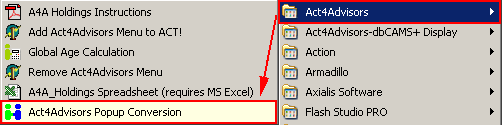
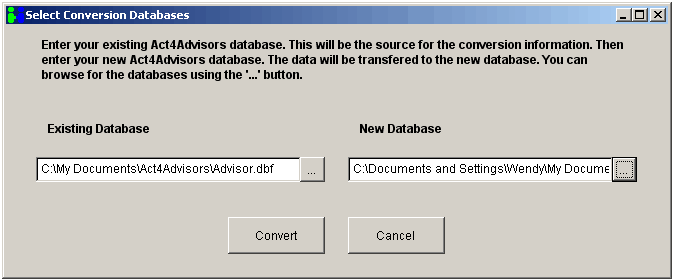
It will ask for the location of your existing database and the location of the new database.
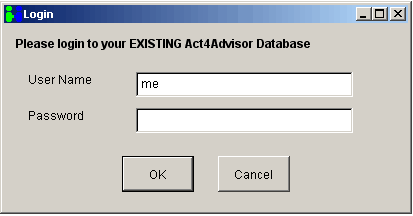
Please log in using the username and password from your old database.
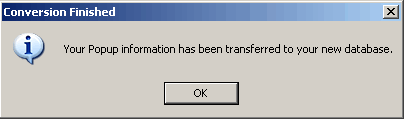

Step 2. Now it's time to import your data..
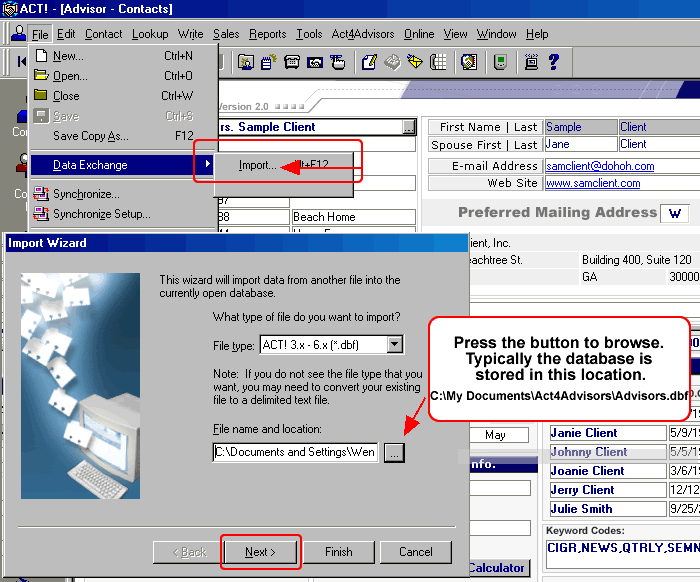
To import your existing Act4Advisors data, open the New Act4Advisors database - location: My Documents\ACT\Database\Act4Advisors 2.0\Advisor.dbf.
Click
on File, Data Exchange, Import. Be sure to pick the correct file type and
browse to where your
old Act4Advisors database is located (typically in this location: C:\My Documents\Act4Advisors\Advisor.dbf),
Click on the NEXT button.
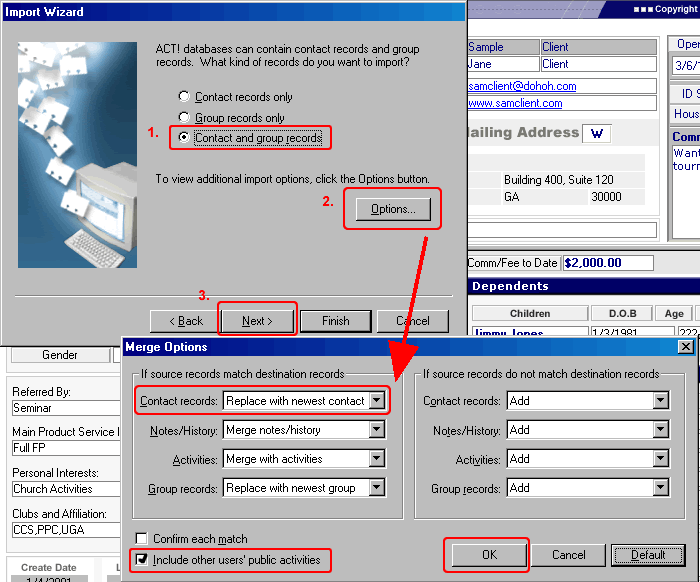
Select Load Map button, browse to C:\Program Files\A4A.
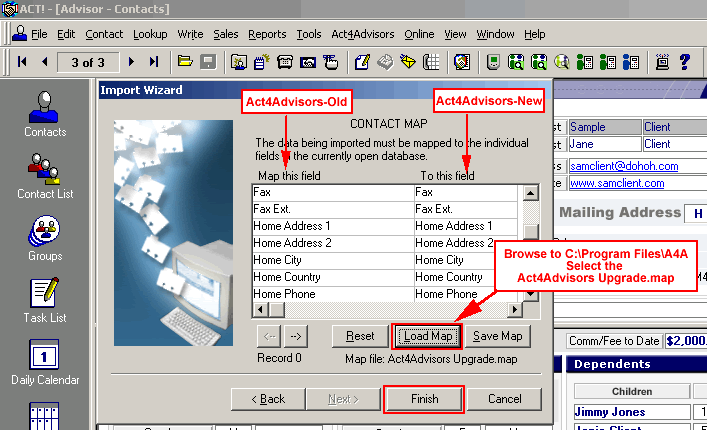
Which Map Should I Use?
Select this one : "Act4Advisors Upgrade.map"
THIS MAP IS ONLY GOOD IF YOU HAVE NOT MODIFIED FIELDS.
If you choose this map, you will still have to map the rest of your data fields.
Very Important Note:Whether your "Map" file is located
or not, you may still have to map data fields to the
appropriate data fields in Act4Advisors. This is quite easy but it may take
you a few minutes.
The left
column of the contact map screen includes the data fields of your current
database.
The right hand side column includes the available data fields for
Act4Advisors. Simply click in the boxes on the right hand side to choose a data
field in Act4Advisors. BEFORE YOU CLICK ON THE NEXT OR FINISH BUTTON, SAVE YOUR
MAP INCASE YOU HAVE TO REDO THE IMPORT. This will save you time.
For additional information on importing, consult with
your ACT! documentation. If you require a
consultant to import your data,
feel free to contact us for a quote. If you are uncomfortable importing data,
feel free to contact us for our Data Conversion Services. We often convert data
from Bill Good, FDP, Brokers Helper, Advisors Assistant, EZ Data, dbCAMS,
Junxure, Protracker, Brokers Ally, and even from other ACT! databases. Our fees
are based on the time it takes to convert the data but the fees are very
reasonable.